Customize Your Linux Terminal for Productivity
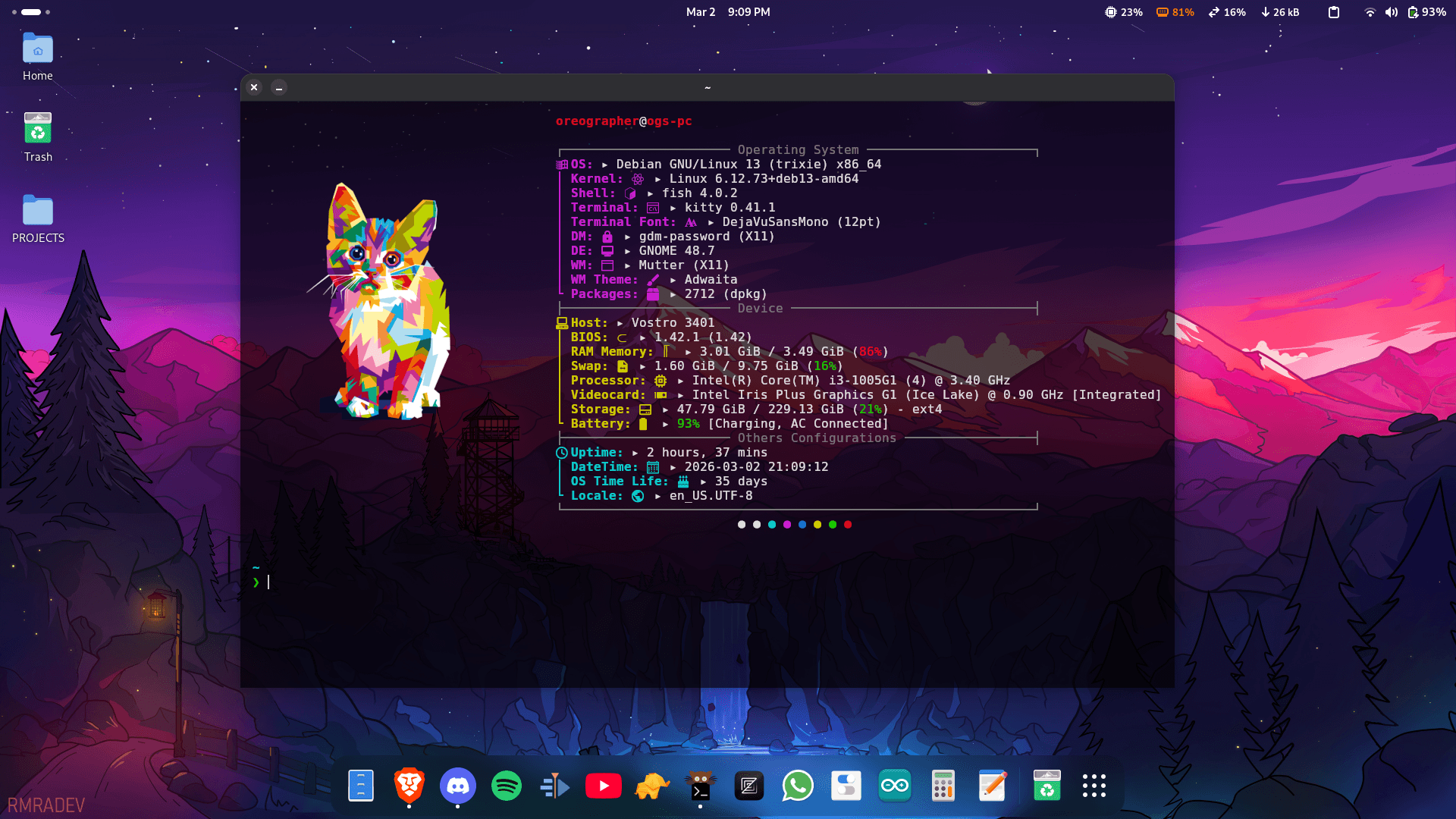
Make your Linux terminal modern and productive using Fish shell, Starship prompt, Kitty terminal, and Fastfetch.
Check all configs here: https://github.com/oreographer/dotfiles
Step 1: Fish Shell
Create or edit the Fish shell configuration:
mkdir -p ~/.config/fish
nano ~/.config/fish/config.fish
Open the file and paste your Fish shell config from the GitHub repo. Save and exit (Ctrl+O, Enter, Ctrl+X).
Step 2: Starship Prompt
Create or edit the Starship prompt configuration:
nano ~/.config/starship.tomlPaste the Starship config from the GitHub repo. Save and exit.
Step 3: Kitty Terminal
Create or edit the Kitty terminal configuration:
mkdir -p ~/.config/kitty
nano ~/.config/kitty/kitty.conf
Paste the Kitty config from the GitHub repo. Save and exit.
Step 4: Fastfetch
After installing Fastfetch, create or edit its configuration:
nano ~/.config/fastfetch/config.confPaste the Fastfetch config from the GitHub repo. Save and exit.
✅ Final Step
- Restart your terminal to apply all changes.
- You now have a modern, fast, and productive terminal ready for development.
- You can also customize it to suit your own preferences.
Also Checkout Bonus Tools to Supercharge Your Linux Terminal: https://github.com/oreographer/dotfiles
Thank me later :)